Data Synchronization
Once two nodes have successfully completed the node pairing process, you can begin sharing data between them.
|
Shared modules are automatically created by the Federation system and cannot be manually removed or updated. |
Sharing data (Origin Node)
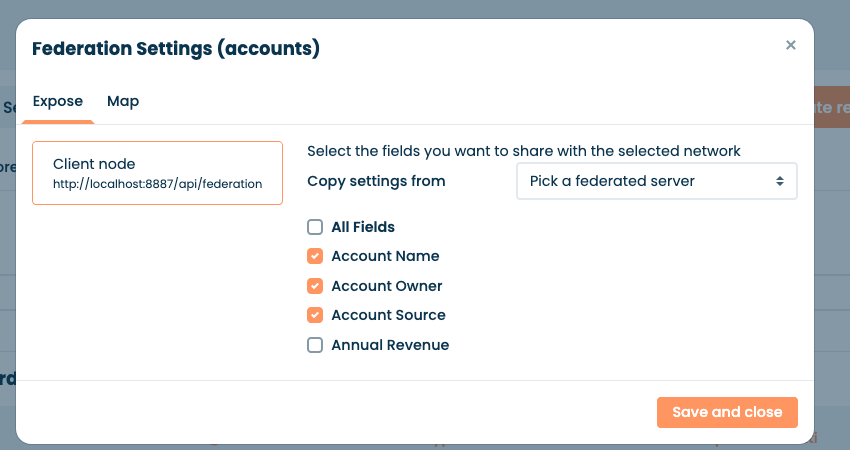
An origin node shares data by defining which modules and fields a specific paired destination node is allowed to access.
|
You can only share data with nodes that have been successfully paired. |
-
navigate to Corteza Low Code,
-
enter the namespace administration area,
-
navigate to the Modules sub-page,
-
click the edit icon next to the module you want to share,
-
click on Federation Settings,
-
go to the Expose tab,
-
select the destination node you want to share the module with,
-
select the specific fields you want to expose to that node,
-
save the changes.
|
To speed up configuration, you can duplicate settings from another node by selecting the desired node from the Copy settings from dropdown. |
Consume shared data (Destination Node)
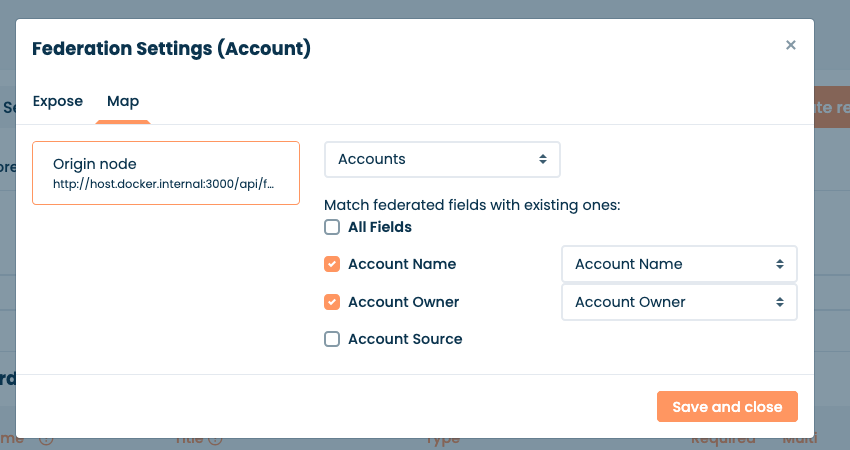
A destination node consumes shared data from its paired origin node. The destination node defines which modules it wants to access and how the remote values map to the local destination module.
|
You can only consume data from nodes that have been successfully paired. |
-
navigate to Corteza Low Code,
-
enter the namespace administration area,
-
navigate to the Modules sub-page,
-
click the edit icon next to the local module where you want to consume the data,
-
click on Federation Settings,
-
go to the Map tab,
-
select the origin node you want to consume data from,
-
map the shared remote fields to your local module fields,
-
save the changes.